📊
Pre-built Benchmarks
Memory bandwidth, matmul, attention, convolution, run standard CUDA workloads with zero setup.
Baseline GPUs at delivery, run HPL & HPCG, test VRAM integrity, detect thermal throttling, benchmark MLPerf inference, and generate interactive HTML reports, all from a single CLI.
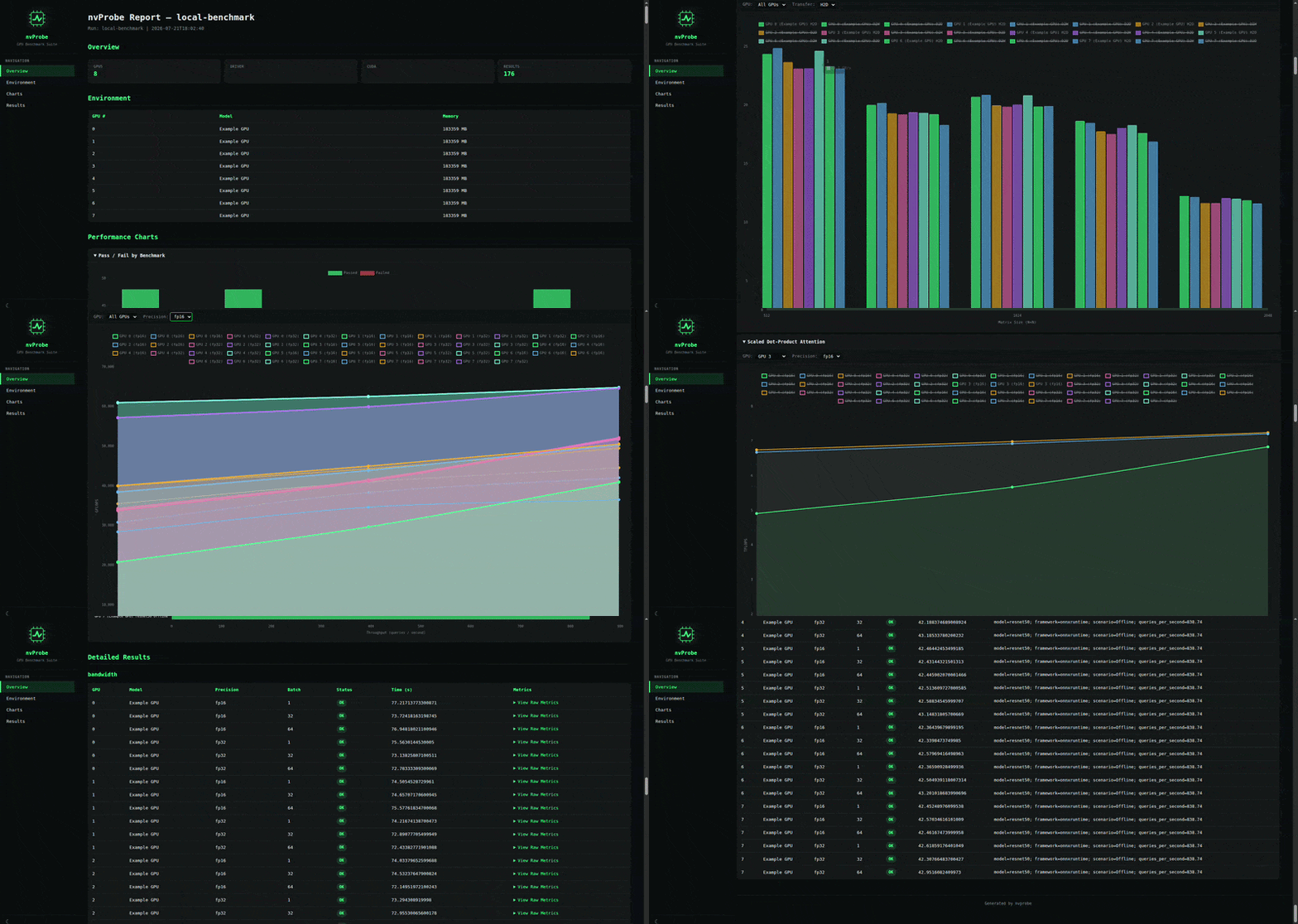
Memory bandwidth, matmul, attention, convolution, run standard CUDA workloads with zero setup.
Self-contained Linpack and CG benchmarks via NVIDIA HPC Benchmarks, auto-downloaded on setup.
End-to-end MLPerf via cmx4mlperf with configurable model, framework, and precision.
Capture max clocks, power caps, ECC state, PCIe link speed & NVLink, baseline today, re-run in 6 months, spot degradation instantly.
Chart.js canvas-based charts with tooltip hover, zoom, and oscilloscope-style glow.
No system CUDA toolkit required, CuPy with [ctk] bundles everything via pip.
Generate, submit, monitor, and collect results from HPC clusters, all from a single CLI.
Install CuPy, download HPL/HPCG binaries, generate configs
Verify GPU detection, driver, and CUDA version
H2D, D2H, D2D memory bandwidth across buffer sizes
CuPySustained MatMul burn with clock/temp tracking and throttling detection
CuPyVRAM integrity: solid, checkerboard, random, walking-1 patterns
CuPyMatMul, tiled MatMul, fused attention, convolution
CUDA CHigh Performance Linpack (FP64)
MPI Datacenter GPUsConjugate Gradients
MPI Datacenter GPUsMLPerf Inference, test / find_performance / full
ONNX RuntimeThe NVIDIA HPC Benchmarks binaries (xhpl and xhpch) are validated for datacenter GPUs such as A100, H100, B200, and L40S. On RTX-series workstation cards the GPU initialization step may crash with a SIGSEGV. However, all other benchmarks, memory bandwidth, custom CUDA kernels (matmul, attention, convolution), and MLPerf inference, work on any CUDA-capable GPU. You can selectively disable HPL and HPCG in your YAML config and still run the full suite of bandwidth and custom kernel tests.
nvprobe drives MLPerf Inference through cmx4mlperf (the MLCommons cm framework), supporting model, framework, scenario, and precision configuration. The mlcr tool discovers cuDNN through system CUDA library paths by default. If you installed cuDNN via pip install nvidia-cudnn-cuXX, pre-register the path manually: mlcr get,cudnn,nvidia --input=$(python3 -c 'import nvidia.cudnn; print(nvidia.cudnn.__path__[0])'). NVPROBE's setup command also installs CuPy with bundled CUDA libraries, so no system CUDA toolkit is required for the bandwidth and custom kernel benchmarks.
Yes, nvprobe has native Slurm integration. Use nvprobe slurm submit --config configs/cluster.yaml to generate job scripts, submit them to the specified Slurm partition, monitor their status with nvprobe slurm status, and automatically collect results once they complete. The YAML config lets you define gpus_per_node, partition name, and per-node benchmark parameters, making it suitable for large-scale HPC clusters with multiple GPU nodes running HPL, HPCG, or MLPerf in parallel.